You've collected ten sources, you've got notes on most of them, and your draft still reads like a list of abstracts with a few approving comments. That's the usual starting point. Learning how to write an annotated bibliography means turning each note into a clear record of what a source claims, whether you should trust it, and exactly where it fits in your argument.
What Each Annotated Bibliography Entry Contains
An entry is a formal citation followed by a short annotation that summarizes the source, evaluates it, and explains how it fits your project. The logic has two parts. First, represent the source accurately. Then judge it.
The University of Nevada, Reno guidance puts it as summary, evaluation, and reflection, where reflection shows whether the source will support, complicate, or limit your argument. If you only repeat the abstract, you've done the first job and missed the other two.
| Part | Question It Answers | What It Should Contain |
|---|---|---|
| Citation | Where does the source come from? | Author, title, year, publication details and formatting in the required style |
| Summary | What does the source say? | Purpose, methods, central claim and conclusions, stated briefly |
| Evaluation | How credible and useful is it? | Author expertise, evidence quality, possible bias, currency and limitations |
| Relevance | Why does it matter to my project? | How the source supports, complicates or fills a gap in your argument |
One entry in miniature
Say you're annotating a 2022 journal article on remote onboarding. Your citation line gives the author, title, journal, and year in your required style. Your summary sentence then names the central claim, for example that structured buddy check-ins improved new hires' confidence in their first month.
Your evaluation adds the part students often skip. In this hypothetical example, the study sampled 40 managers at a single firm, so it tells you a lot about that workplace and less about onboarding in general. Your relevance sentence might say you'll use it for the mentoring point, but not as evidence for company-wide retention.
Practical rule: If a reader can't tell what you'll use the source for, the entry isn't finished yet.
Many university guides use roughly 150 words per entry as a benchmark, but your assignment rubric controls the final length. Before you call an entry done, check it answers three questions. What does the source claim? How credible is that claim? Why does it matter to this research?
Choosing Descriptive, Informative or Evaluative Annotations
Not every assignment wants the same kind of annotation, and writing the wrong type is an easy way to lose marks. USC Libraries identifies three principal forms, descriptive, informative or summative, and evaluative, critical, or analytical, and describes the evaluative form as the type instructors most commonly request.
| Type | What It Includes | What It Leaves Out | Best Used When |
|---|---|---|---|
| Descriptive | Subject and purpose of the source | Argument, findings and judgement | The assignment asks only what a source covers |
| Informative | Hypothesis, methods, major points and conclusions | Personal criticism | You need to report what each study found |
| Evaluative | Summary plus strengths, weaknesses, evidence and bias | Nothing, since it combines summary and judgement | The instructor asks for critical assessment, the most common request |
The same source, three ways
Take that onboarding article again. A descriptive sentence stays at the surface. "This article covers remote onboarding practices for new employees." It names the topic and stops.
An informative sentence reports more without judging. "The authors interviewed managers and found that scheduled buddy check-ins were linked to higher confidence among new hires." You've got the method and the finding, and no opinion.
An evaluative sentence adds your assessment. "Because the sample came from one firm, the finding is useful for similar office settings but weak as a general claim about onboarding." Now the reader knows what you make of the evidence.
In practice, most assignments mix the types. An annotation may summarize, assess, reflect on possible uses, or do all three. A workable proportion for a combined entry is roughly one part on the source's argument and evidence, one part on credibility and limitations, and one part on its role in your project.
That balance keeps you from spending the whole entry retelling the article. Still, check your prompt first. The rubric, not habit, controls the annotation type, the length, and the citation style.
How to Write Each Annotation in Five Stages
Working through each source in the same order stops you drafting from memory. The process below follows the five stages in the Azusa Pacific University Libraries guide, using the onboarding article as the running example.
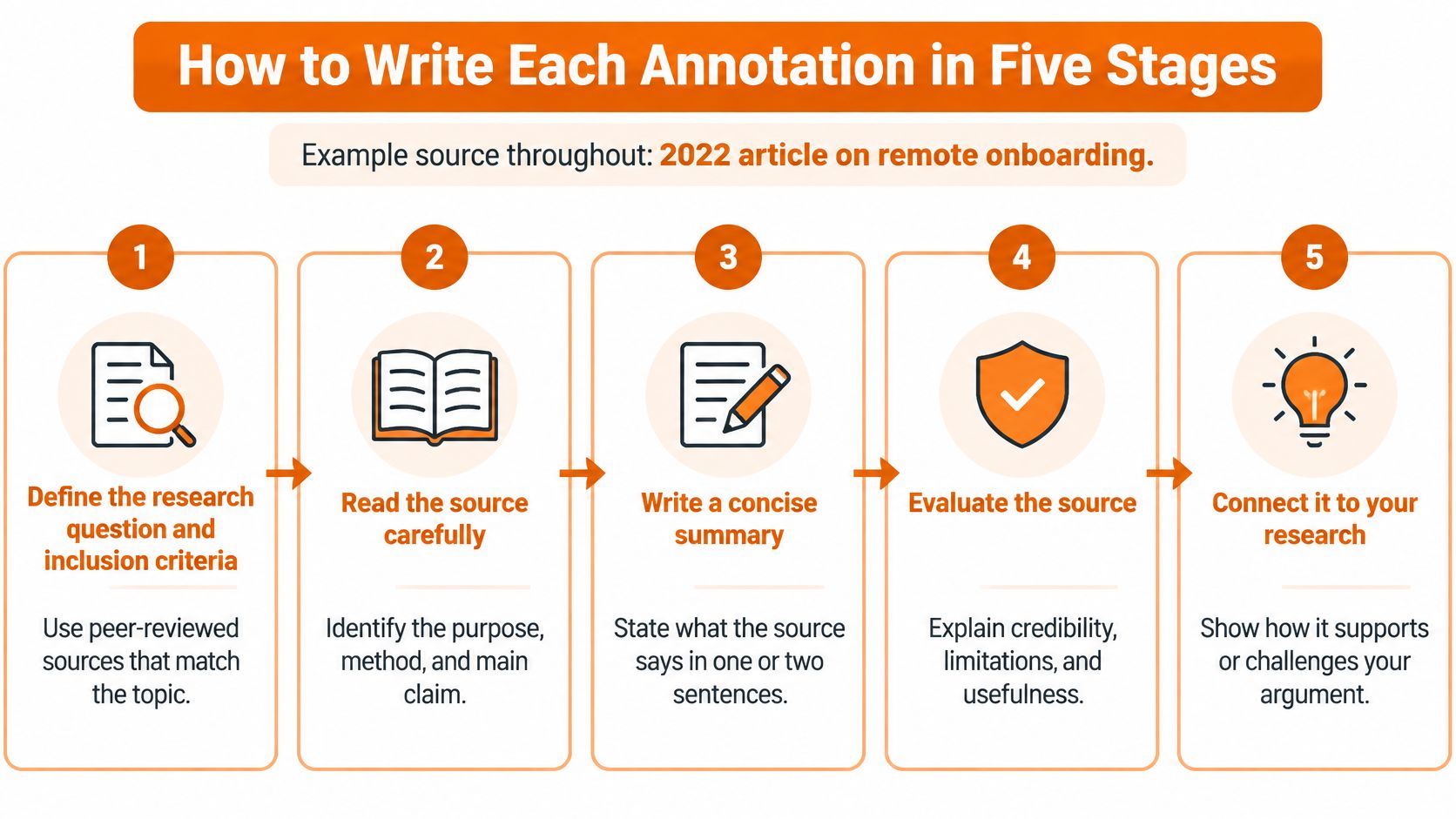
- Define the question and inclusion criteria. Decide what counts before you search, such as peer-reviewed studies from the last ten years on onboarding outcomes. This stops you padding the list with sources that are merely nearby.
- Locate candidates. Gather books, articles, reports, or media, then keep a shortlist that fits those criteria.
- Inspect before you write. Note each source's argument, evidence, author expertise, publication venue, intended audience, currency, and limitations. Notes taken now save you re-reading later.
- Create the citation. Format it in the required style while the source is open in front of you, not from a browser tab title.
- Write in a fixed order. Summarize the purpose, methods, central claims, and conclusions. Evaluate the methods, authority, bias, and scope. Then state the application, including whether the source agrees with, contrasts with, or fills a gap left by other entries.
The common slip at stage five is summarizing the article's topic instead of its argument. "The article is about onboarding" tells the reader nothing. State what the authors claimed and how they supported it. You'll run the final quality pass at the end, once every entry is drafted.
Turning a Reaction into Evidence-Based Evaluation
"This source seems biased." Students write sentences like that constantly, and markers can't credit them. The reader can't see what in the source produced your reaction, so the sentence is an opinion with nothing underneath it.
The Cornell University Library guide asks you to assess author credentials, intended audience, comparisons with other sources, and the source's contribution. That's a list of what to look at. You still need a way to turn what you noticed into a justified judgement.

Use claim, evidence, implication
- State the assessment. Make your judgement plain in one sentence, such as "The retention claim is overstated."
- Name the observable basis. Point to something a reader could check, such as the sampling limits, missing counterarguments, publication context, methodology, or cited evidence. A funding disclosure, an untested method, or a narrow sample all count.
- Explain the implication. Say what this means for your research question, meaning where you can use the source and where you can't.
Here's the before and after. The weak version reads, "This source seems biased and isn't very reliable." The rebuilt version reads, "The authors sampled 40 managers at one firm, so their claim that remote onboarding improves retention may not hold in other industries, which limits how far I rely on it in the discussion of retention."
Notice what changed. The claim is narrower, the evidence is countable, and the implication tells the reader how the source will be used. That's the whole technique, and it works at 150 to 500 words per annotation.
A source can be credible yet narrow, or methodologically strong yet outdated. Both can earn their place if your annotation says which one it is.
One trap to avoid here is uncited paraphrase in your evaluation, where you restate an author's reasoning so closely that it stops sounding like your analysis. If you're reshaping source language into your own words, this guide to paraphrasing for student work covers where paraphrase ends and copying begins. Run the finished annotation through the plagiarism checker to review originality before you submit.
Comparing Sources to Build a Research Map
A stack of well-written entries can still fail as a bibliography if none of them mentions the others. Your reader should be able to see where your sources agree, where they clash, and where the gaps are.
The easiest way to get there is a comparison matrix before you draft. Give each source one row, with columns for research question, central claim, evidence type, population or context, limitations, and relationship to other sources.
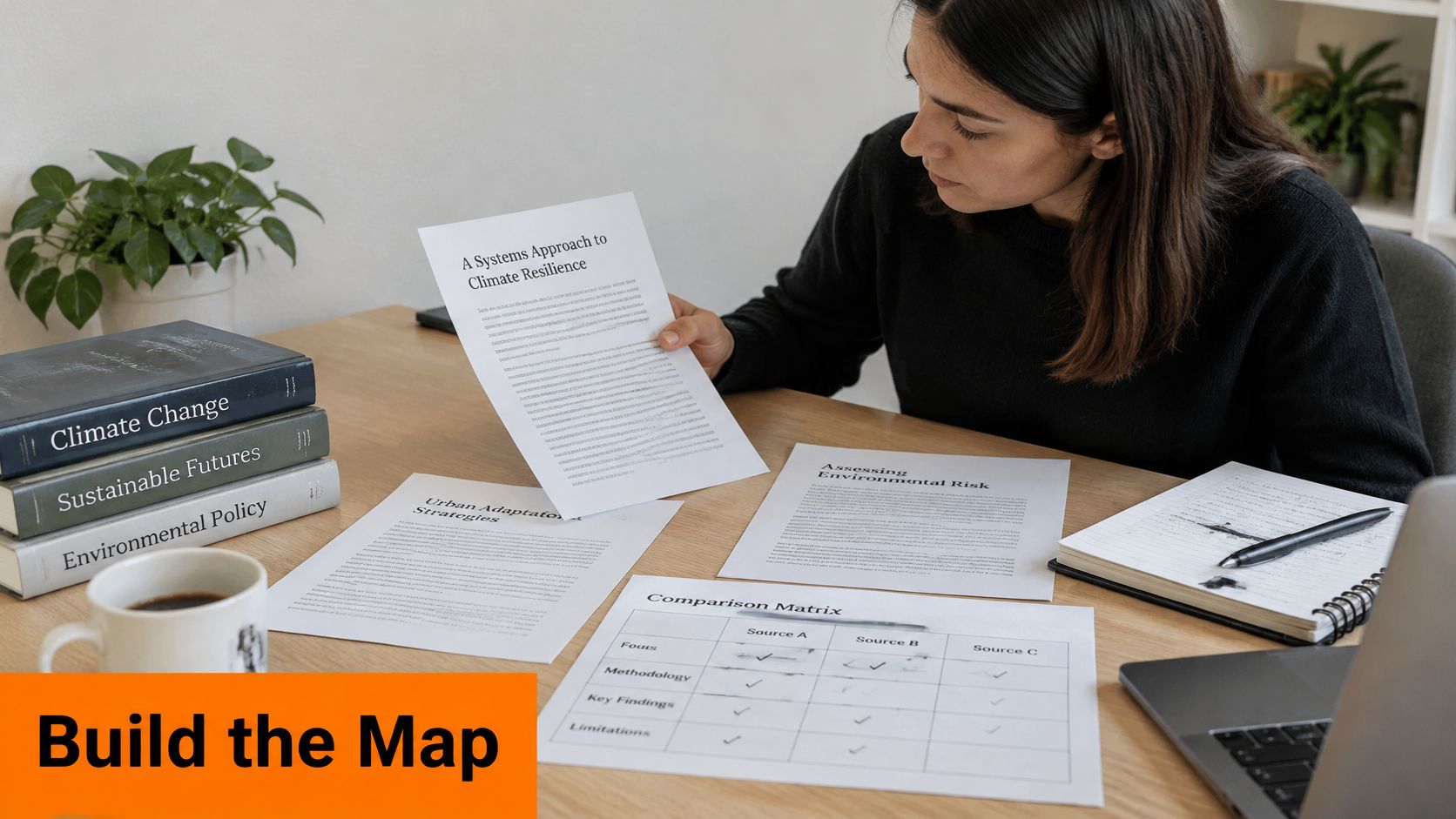
Say your topic is remote work productivity, and you've picked three sources for this example. There's a survey of 500 office workers in the United States, a lab experiment with 60 students, and a case study of one firm in Germany.
| Source | Context | Evidence type | Main limitation | Relationship to other sources |
|---|---|---|---|---|
| Survey of 500 office workers | United States office workers | Self-reported survey | Reports perceptions rather than observed output | Contrasts with the German case study on context |
| Case study of one firm | One company in Germany | Case study | Single firm with no comparison group | Contrasts with the survey on context |
Filled in, the matrix shows its value quickly. The survey and the case study contrast on context, since one covers hundreds of US workers and the other one German company. The lab experiment qualifies the survey's claim about focus time, because students in a lab aren't employees at home.
This short video walks through that comparison process visually.
In the annotations themselves, use plain cross-entry language, contrasts with, extends, qualifies, and leaves unexplained. One or two sentences naming the relationship is enough. You're mapping the territory, not writing a full literature review, and a strong set of sources deliberately includes ones that disagree with each other.
Formatting Indents for MLA, APA and Chicago
Formatting isn't interchangeable across styles, so don't build your document from a generic template and hope. Purdue OWL's sample materials set the MLA annotation indent at 1 inch from the start of the entry, while APA and Chicago use 0.5 inch.
| Style | Annotation Indent | Formatting Point |
|---|---|---|
| MLA | 1 inch from the start of the entry | Format like a Works Cited page with the annotation below each citation |
| APA | 0.5 inch | Follow APA punctuation, ordering, italics and publication details |
| Chicago | 0.5 inch | Follow Chicago punctuation, ordering, italics and publication details |
Set it up once, correctly
- Confirm the required style. Find it in the assignment prompt before you format anything.
- Apply the citation's hanging indent. Format the bibliography entry itself the way that style requires.
- Set the annotation indent. Use one inch for MLA, half an inch for APA or Chicago.
- Check every entry. Scroll through and confirm the settings match from first entry to last.
Picture the same onboarding entry both ways. In MLA, the annotation sits a full inch in from where the citation starts. Switch to APA and that block moves to half an inch, while the citation's punctuation, ordering, and italics also change to APA's rules.
Style details get more specific with unusual sources, and if your project cites scripture you can compare styles for citing the Bible before formatting those entries. The indent is the visible part. The citation underneath it still has to obey its own manual.
Common Questions About Annotated Bibliographies
How long should each entry be
Many university guides suggest about 150 words, but your rubric controls the target. Check it before you cut or pad, since a 300 word entry in a 150 word assignment costs you marks for ignoring instructions.
Can I write in the first person
Usually, keep the evaluation focused on the source by naming its author, as in "Harris argues" rather than "I think." Use the first person when the assignment asks for reflection on your own research path.
Can I use the abstract as my summary
No. An abstract repeats the author's own framing and leaves out your assessment entirely. That's the same structural gap as a summary list, and it's easy for a marker to spot.
Do I need one entry per source
Yes, one entry for each source you cite, unless the rubric says otherwise. If you're unsure how that plays out in professional settings, professional data questions and answers from ProfessionLens shows how practitioners handle recurring documentation questions.
Short, direct answers like these also depend on clean sentences. This guide to grammar checking in academic work covers the slips that most often blur an evaluation.
Check Your Bibliography Before You Submit
Run through this list once, slowly, before you hand anything in.
- Four parts present. Every entry has a citation, a summary, an evaluation, and a relevance statement.
- Fields verified. Every bibliographic field matches the original source, not your notes.
- One style throughout. You've used a single citation style from the first entry to the last.
- Evidence behind judgements. Each evaluation points to something observable in the source.
- Relationships named. Each entry states its relationship to at least one other entry.
If you drafted annotations with AI help, review the text manually first. An AI detector gives you one editing signal, not a final verdict, and results vary by draft quality, detector version, and how much editing the text needs.
A final pass with the grammar checker catches wording slips, though it can't judge whether a source fits your question. For the originality side, this overview of plagiarism checking tools explains what those checks can and can't tell you.
Now write one entry this week using the five stages. Build the rest the same way, and your document will hold one consistent standard for how to write an annotated bibliography.
If your annotations were drafted with AI help and now read stiff or uniform, Lumi Humanizer can help you revise them into cleaner, more natural prose while keeping your original meaning and citations intact. Paste in a draft entry, choose an academic writing style, and review the result yourself before you submit, so the judgement in every annotation stays yours.